How to Integrate Security Systems With Smart Home Devices?

Time:2026-09-25 Author:Sienna
0%

A connected home can make security easier to monitor, but only when its devices work reliably together. A camera alert, hallway light, and door sensor can support one clear response instead of several separate apps. Homeowners wondering how to integrate security systems with smart home devices should start with compatibility, not extra equipment. Check device standards and manufacturer guidance before pairing products; a feature that appears supported may still require a hub or subscription. Even then, connections can drop.

Keep alerts specific. A useful routine might arm the alarm when the last resident leaves, then switch on selected lights after a verified motion alert. Distinguish a front-door opening from movement in a busy living room, where pets or sunlight may trigger false alarms. Use unique passwords, enable multifactor authentication where available, install firmware updates, and consider a separate guest network if your router supports it. Avoid displaying sensitive camera views on shared screens. Test routines at different times, including during a Wi-Fi interruption, and confirm that manual controls still work. A smart lock or alarm should not become unusable because one app fails. Exact options vary by brand, model, and home layout, so check current product documentation. This guide explains how to plan connections, choose compatible devices, protect account access, and troubleshoot common failures. It also asks a useful question: does each automation improve safety, or merely add another point of failure? There is no perfect setup; careful testing and occasional review matter.
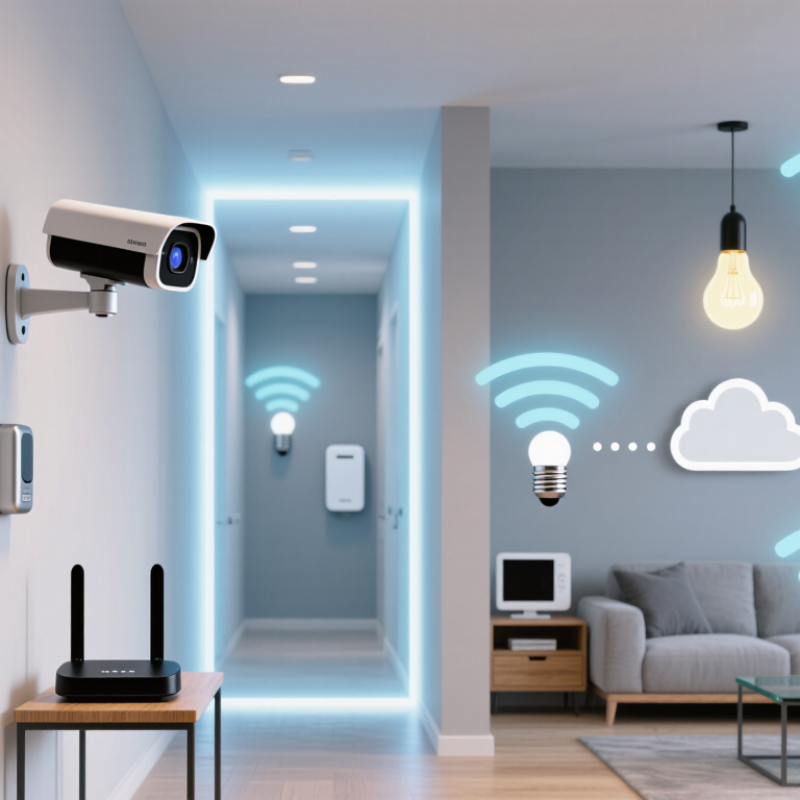
How to Integrate Security Systems With Smart Home Devices?

Assess Compatibility Between Security Systems and Smart Home Devices

Assessing compatibility starts with the exact functions you need. Check whether the security panel, sensors, cameras, and smart home hub support the same communication standards, such as Wi-Fi, Zigbee, Z-Wave, or Matter. Check the basics. Shared standards do not guarantee that every feature will work together. Confirm support for specific actions, like showing a door sensor’s status or triggering a light when motion is detected.

Review how devices connect and where they process data. Some integrations depend on a hub or cloud service, while others can run locally. That difference matters if your internet connection drops. Small details matter. Check whether alerts arrive promptly, automations can be adjusted, and device permissions are clear. Also review firmware update policies and whether the system still receives updates.

Test the combination before relying on it throughout your home. Pair one sensor, then check its status in the app and try the automation at different times. A setup can look compatible on paper and still feel clumsy in daily use. I would not assume a camera, lock, and alarm share every control just because they appear in one app. Read the integration notes, test what happens during a network interruption, and consider whether the added convenience is worth the extra data sharing.

Assessing Compatibility Between Security Systems and Smart Home Devices

A practical readiness score for key integration areas, rated from 1 (limited readiness) to 5 (strong readiness).

Protocol alignment and account linking are often the first checks. Confirm that devices share a supported communication standard or integration method, then verify event mapping, automation options, and privacy permissions. Scores are illustrative, not measured market data; actual compatibility depends on the specific devices and software versions.

Select a Hub and Confirm Communication Standards

Choosing a hub is the practical center of a secure smart home. It connects cameras, sensors, locks, alarms, and lighting controls. More importantly, it decides how these devices communicate.

Check communication standards before buying anything. Wi-Fi suits cameras and high-bandwidth equipment. Thread and Zigbee often support low-power sensors. Ethernet can provide a stable connection for fixed devices. Matter may improve compatibility, but it does not guarantee every security feature will work. Read the device specifications carefully.

Security should influence the hub choice. Look for encrypted communication, automatic firmware updates, strong access controls, and local processing. Local control can keep basic alarms working during an internet outage. However, some remote alerts may still require cloud services. That difference matters.

I once focused too much on device quantity. The setup looked impressive, but two sensors used different protocols. They could not communicate reliably through one controller. It was frustrating. A smaller system with matching standards would have been safer and easier to maintain.

Test the hub with one sensor, one alarm device, and one access point first. Walk through the home and check response times. Test signals through walls, closed doors, and near other wireless equipment. Record failed connections instead of ignoring them. Review permissions for every connected device. Remove unused integrations promptly.

Do not assume a newer standard solves every problem. Standards evolve, and firmware support can change. A documented compatibility list is useful, but real testing remains necessary. Keep a simple fallback method for unlocking doors or checking alarms when the hub fails.

Connect Security Devices to the Smart Home Platform

Connecting security devices to a smart home platform requires more than adding them to one application. I begin by checking compatibility, communication protocols, and local control options. A door sensor should report quickly, while a camera may need stronger bandwidth. The platform must also support separate user permissions. Not every household needs full access.

In practice, I place the security hub on a protected network segment. Smart lights and entertainment devices remain separate. This limits damage if one device develops a weakness. I enable strong passwords, automatic updates, and multi-factor authentication whenever available. Then I create simple routines, such as turning hallway lights on when motion is detected after dark. The alert should identify the room and time clearly.

Testing exposes problems that installation guides often miss. I open a door during a network outage and check whether the local alarm still works. I also test backup power, notification delays, and false alarms from pets or moving curtains. One setup looked reliable until a router restart stopped several alerts. That assumption proved wrong. I now test every connected device repeatedly, not just once. Keep an activity log. It helps reveal unusual patterns and makes future troubleshooting more reliable.

Configure Automations, Permissions, and Alerts

When connecting security sensors to smart home devices, build one automation at a time. A hallway motion sensor might switch on a lamp for three minutes, while a door contact sensor sends a phone alert when the entry opens. Keep actions predictable. Test it twice. Check what happens if the Wi-Fi drops or a sensor battery runs low; an automation that silently stops working can create false confidence.

Set permissions before inviting household members. Give each person an individual account and only the access they need, such as viewing alerts without changing device settings. Review guest access after visitors leave. Avoid sharing administrator credentials through text messages. This setup takes a little longer, and it can feel fussy, but it makes it easier to identify who changed a rule when something behaves unexpectedly.

Tune alerts to the event, not just the device. A front-door opening while the home is occupied may need a quiet notification, while a sensor detecting motion during an away period may deserve an immediate prompt. Use a brief delay only where it prevents routine false alarms, and keep urgent notifications audible. Check alert history after a week. If every minor event gets your attention, you may start ignoring the important ones. I still find notification settings easy to overcomplicate, so make small changes and observe their effect.

Test Integrations and Maintain System Reliability

After linking sensors, locks, cameras, and voice controls, test real routines—not just whether each app shows “connected.” Open a monitored door, check the alert, then confirm the expected response. Repeat with Wi-Fi briefly unavailable, power restored, and a sensor battery removed. Record recovery times and watch for silent failures. Test at night, too. IoT Analytics counted 16.6 billion connected devices worldwide at the end of 2023, up 15% year over year. That expanding mix makes compatibility checks essential.

Check that alerts reach the right phones and that household members can still arm or disarm the system when one device is offline. Verizon’s 2024 Data Breach Investigations Report found that 68% of breaches involved a non-malicious human element. That finding is not specific to smart homes, but it highlights the importance of clear access routines. Remove former users, review permissions, and replace default credentials. Keep device software current, and confirm updates have not changed automations or notification settings.

Maintain a simple test log: date, device, action, result, and any delay. Review it monthly, then repeat checks after router changes, software updates, or new device installations. If an alert arrives late, trace each step—from sensor trigger to phone notification—instead of assuming the connection is healthy. Network interruptions are easy to overlook. And a successful test today does not guarantee tomorrow’s reliability. Recheck the details.

How to Integrate Security Systems With Smart Home Devices? - Test Integrations and Maintain System Reliability
Integration Area Test to Perform Expected Result Suggested Test Frequency Reliability Action
Door and window sensors Open and close each monitored entry point while the system is armed and disarmed. The correct open or closed state appears, and an alarm is triggered only under the configured conditions. Monthly and after sensor changes Replace weak batteries, check sensor alignment, and confirm the device is still connected.
Motion detectors and lighting Walk through the monitored area and verify the configured light response at different times or lighting conditions. Lights respond to the intended motion event without repeated or unexpected activation. Monthly Review detection zones, automation delays, and schedules to reduce missed events and false triggers.
Cameras and event recording Create a test motion event and check the live view, event notification, and recorded clip. Video is available, timestamps are consistent, and the clip can be retrieved according to the configured retention settings. Monthly Check power, network signal, storage capacity, camera field of view, and privacy settings.
Smart locks and access routines Test authorized locking and unlocking, status reporting, and any linked alarm or lighting routine. The lock reaches the requested state, reports its actual state, and triggers only the intended automations. Monthly and after access changes Keep a physical access method available and review user permissions regularly.
Smoke, carbon monoxide, and leak alerts Use the device manufacturer's test procedure and verify that permitted notifications or linked actions are received. The device indicates a successful test and alerts reach the configured recipients or hub. Follow the device instructions; review notifications monthly Do not create a real hazardous condition to test an alarm; follow applicable safety guidance and replace expired devices.
Network and hub connectivity Check device status, then briefly disconnect and restore the network or hub where safe to do so. Connectivity loss is visible, devices recover or reconnect as designed, and security-critical functions remain within their documented limits. Quarterly and after network changes Use a reliable network setup, keep firmware current, and understand which functions depend on internet access.
Automations and notifications Trigger each security-related routine and verify its conditions, actions, delays, and notification recipients. The routine runs once under the intended conditions, with no conflicting or unintended actions. After every automation change and quarterly Document important routines and remove obsolete rules, devices, and notification recipients.
Power and backup operation Review battery or backup-power status and perform only the test procedure specified for the equipment. Low-power conditions are reported, and supported backup functions operate as documented. Monthly status check; test per device instructions Replace batteries as needed and avoid assuming that every connected device has backup power.

FAQS

How can I check whether security devices work with a smart home platform?

Compare supported communication standards and specific functions. A shared standard alone does not guarantee every feature works. Test a door sensor and light together.

Does connecting devices through one app mean they share every control?

No. A camera, lock, and alarm may appear in one app but have different controls. Check integration notes. Test each action yourself.

What is the difference between local and cloud-based control?

Local control may keep some functions working during an internet outage. Cloud-dependent features may stop or become delayed. Test both before relying on them.

How should I test a security setup after installation?

Open a monitored door and check the alert, room name, and response time. Repeat with the internet briefly unavailable. Test it at night, too.

What should I check during a power or network interruption?

Check whether the local alarm works, backup power lasts, and alerts arrive after service returns. Record any delay. Not always predictable.

How can I reduce problems from shared device access?

Give household members only the access they need. Remove former users, replace default passwords, and use multi-factor authentication when available.

What details belong in a system test log?

Record the date, device, action, result, and delay. A short monthly review can reveal patterns that one test misses.

When should I test integrations again?

Recheck after router changes, software updates, or new devices. I used to trust an app’s “connected” status too much. It proved little.

Conclusion

Integrating security systems with smart home devices begins with checking compatibility. Confirm that sensors, cameras, alarms, and other devices can communicate with your chosen smart home platform, then select a central hub that supports their communication standards. Matching connection types and protocols helps devices work together reliably and reduces setup problems.

Once the hub is ready, connect each security device to the platform and organize it for convenient control. Set up useful automations, such as turning on lights when motion is detected, and review permissions so household members have appropriate access. Customize alerts to provide timely, relevant updates without unnecessary interruptions. Finally, test each device, automation, and notification. Regularly check connections, update settings, and replace batteries when needed to keep the system dependable. Knowing how to integrate security systems with smart home devices makes it easier to create a coordinated setup that is practical, responsive, and simple to maintain.

Sienna

Sienna

Sienna is a skilled marketing professional with a deep expertise in our company’s core products and services. With a passion for innovation and detail, she plays a pivotal role in crafting insightful blog posts that not only highlight the unique features of our offerings but also provide valuable......